
In This Article
What the home page does
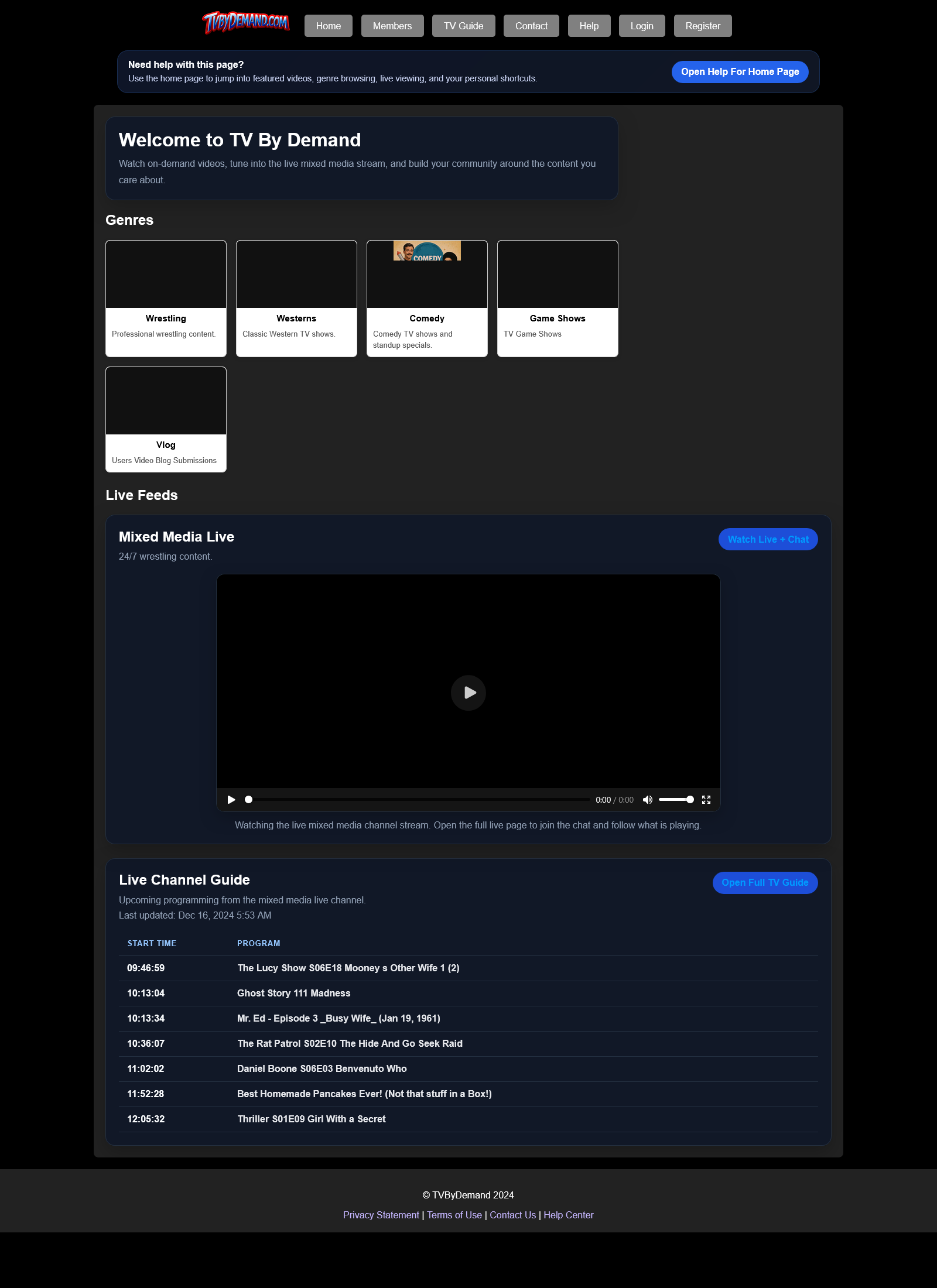
The home page is the main launch point for the site. It highlights videos, genres, the live channel, and social shortcuts so you can get somewhere useful fast.
When you are logged in, you may also see buddy activity, PM and alert badges, and quick links to the parts of the site you use most.
Common things to do here
- Use the top menu to move to Members, PMs, your profile, uploads, or admin tools if your account has access.
- Use the genre buttons to browse a category quickly.
- Use the live channel area to watch immediately or open the full Live + Chat page.
- Open a featured video card to go straight to the video page.
Good to know
- The home page layout changes on phones and tablets so the sections stack more cleanly.
- Some sections only show for logged-in members.
- If the live player buffers on mobile, try the full live page because it uses extra recovery logic.
Keywords
Related Help
Browsing Categories And Video Lists
Find videos by category, understand the sorting order, and open a video page from a listing.
Live Channel And Chat
Watch the live stream, read or post live chat, and use the Now Playing and Up Next information on the live page.
TV Guide
Read the current live-channel schedule on its own page or from the preview sections around the site.
Still Need Help?
If this article did not answer what you needed, the fastest next step is to contact staff or PM an admin from your account.